 Bigson
600 MB of JSON.
Open in 3.6 seconds.
A Chrome extension for the JSON files that freeze every other viewer. Zero network access, no telemetry, no account. Nothing you open ever leaves the tab.
Add to Chrome — free 52 KB · no permissions requested
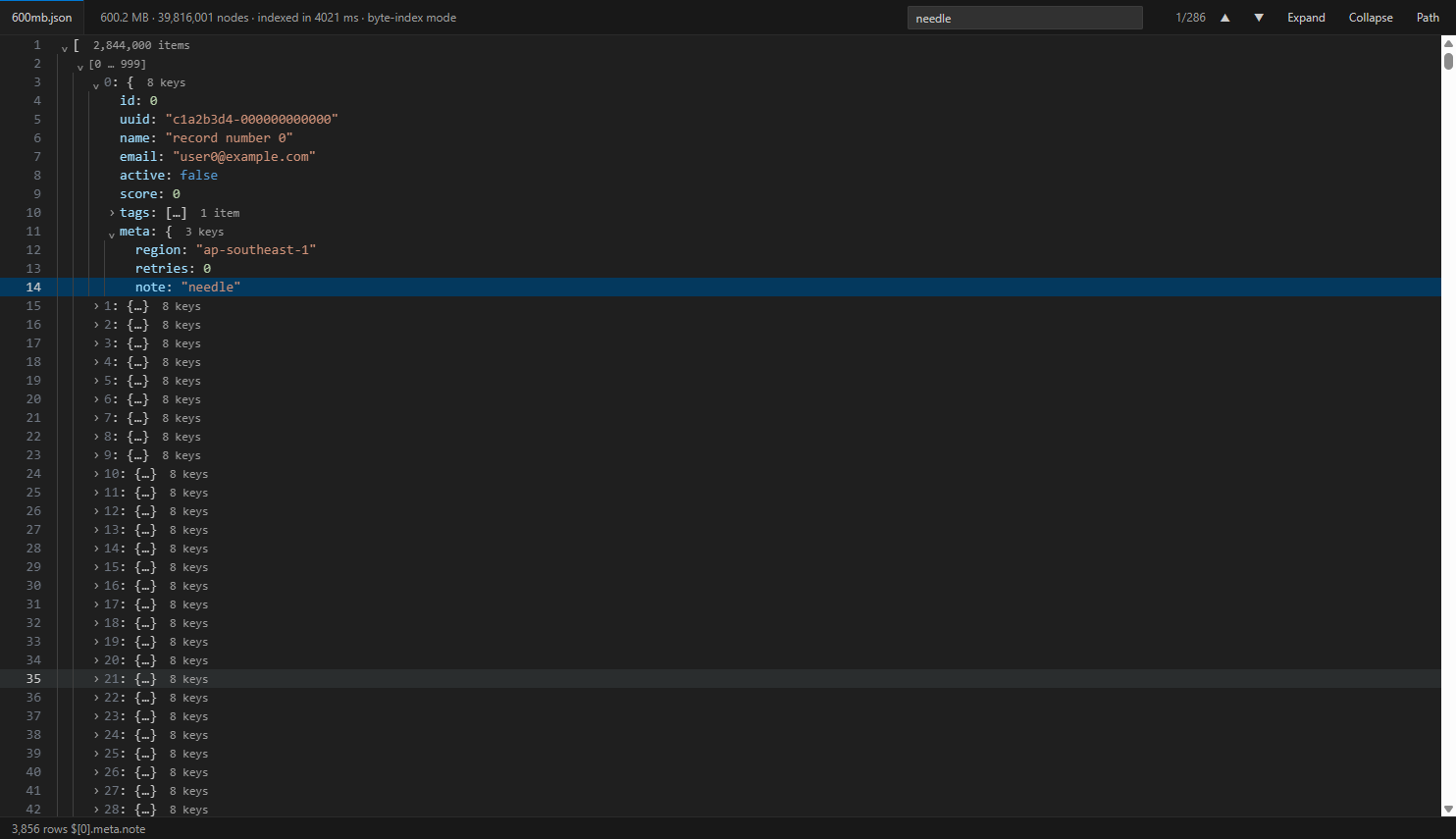
The numbers
Measured, not estimated. The test scripts that produced them ship in the repository.
| parse | 500 ms |
|---|---|
| first paint | 0 ms |
| search whole document | 344 ms |
| index | 3.3 s |
|---|---|
| nodes | 39.8 M |
| memory per node | 14 bytes |
| open in a real tab | 3.6 s |
Why others freeze and this doesn't
Parsing was never the problem
V8 parses 120 MB in half a second. Viewers die because they build one DOM element per JSON node — eight million nodes, eight million elements.
Only what you can see exists
Rows are materialised only for expanded nodes, wide arrays are paged, and only the ~60 rows in the viewport are ever painted.
Past the 512 MB wall
Chrome can't hold a string over 512 MB, so JSON.parse can't run at all.
Bigson switches to a byte-offset index: 14 bytes per node, nothing decoded until painted.
Nothing leaves your browser
JSON is where API keys, customer records and tokens live. A viewer has no reason to talk to anyone.
- No
fetch, noXMLHttpRequest, no WebSocket, no beacon — checked on every release - No
permissionsarray in the manifest - No web-accessible resources, so sites can't even detect it's installed
- No analytics, no account, no remote config
Don't take our word for it: open DevTools → Network while you use it.
What you get
- Auto-takeover of raw JSON responses, up to 64 MB
- Drop a file or paste on the standalone page — no size cap
- NDJSON detected automatically
- Search the whole document; Enter / Shift+Enter to step
- Copy path as a JSONPath-style accessor
- Precise errors pointing at the bad byte
- VS Code colours, light and dark, with line numbers and indent guides
- Leaves logs alone — a
text/plainfile that starts with[is not mangled
Install
Free, and the free version stays better than the alternatives.